Buy Pulsar through your AI assistant, for 5% less.
Claude, ChatGPT and any assistant that supports the Model Context Protocol can price a Pulsar plan, explain the conditions and open a secure payment page.
Agent price: 5% below the site price, applied automatically when an assistant starts the purchase.
Disclosures first: the assistant must relay who insures you, the main exclusions, the age rules, the trip length and who cannot buy before a payment page opens.
No card ever goes through an assistant. You pay on Stripe.
Connect in a minute
Claude (web, desktop or mobile): Settings, Connectors, Add custom connector. Paste https://pulsar.travel/api/mcp. No sign-in needed. Then ask, for example: "Price Pulsar for two of us, ages 34 and 36, Spain, 3 to 13 December, and compare the Superior plan."
ChatGPT: in Settings, add the same address as a custom connector or MCP server (menu names change between versions). Ask the same question.
Any other assistant or script: the JSON API is described in openapi.json. Quote with POST /api/agent?a=quote, New checkout is temporarily unavailable.
Checkout is temporarily unavailable. You can still explore prices and plan details. If you already have a voucher, use My Trip to register flights and review your plan’s benefit conditions.
What an assistant can do here
Quote all four plans for your trip, with the site price and the agent price side by side and the plan we recommend for that destination.
Explain the conditions in plain words, from the general conditions and the benefits table, never from memory.
Compare Pulsar with another product, only from that product's own published conditions.
Open a payment page after the disclosures, never collecting card details itself.
Assistants and their crawlers may read the whole site; llms.txt is the short guide.
Pulsar travel medical assistance · from $2.60 USD a day
100% service. 0% friction.
Your whole trip in one app: a doctor in one tap, the hospital bills us, and a photo is the claim. Real people in Spanish and English.
Your price in seconds. No name, email or phone.Nothing added at checkout.Full refund within 10 days, before you travel.Live chat with Nova, any hour
Operated by MDabroadMedical assistance since 2000
85,000+ providersIn 150+ countries
Real peopleCase managers, nurses, doctors
Aetna network in the USThe hospital bills us
Insured by RedbridgeRedbridge Insurance Company Ltd. (Barbados)
The Pulsar app, on every plan
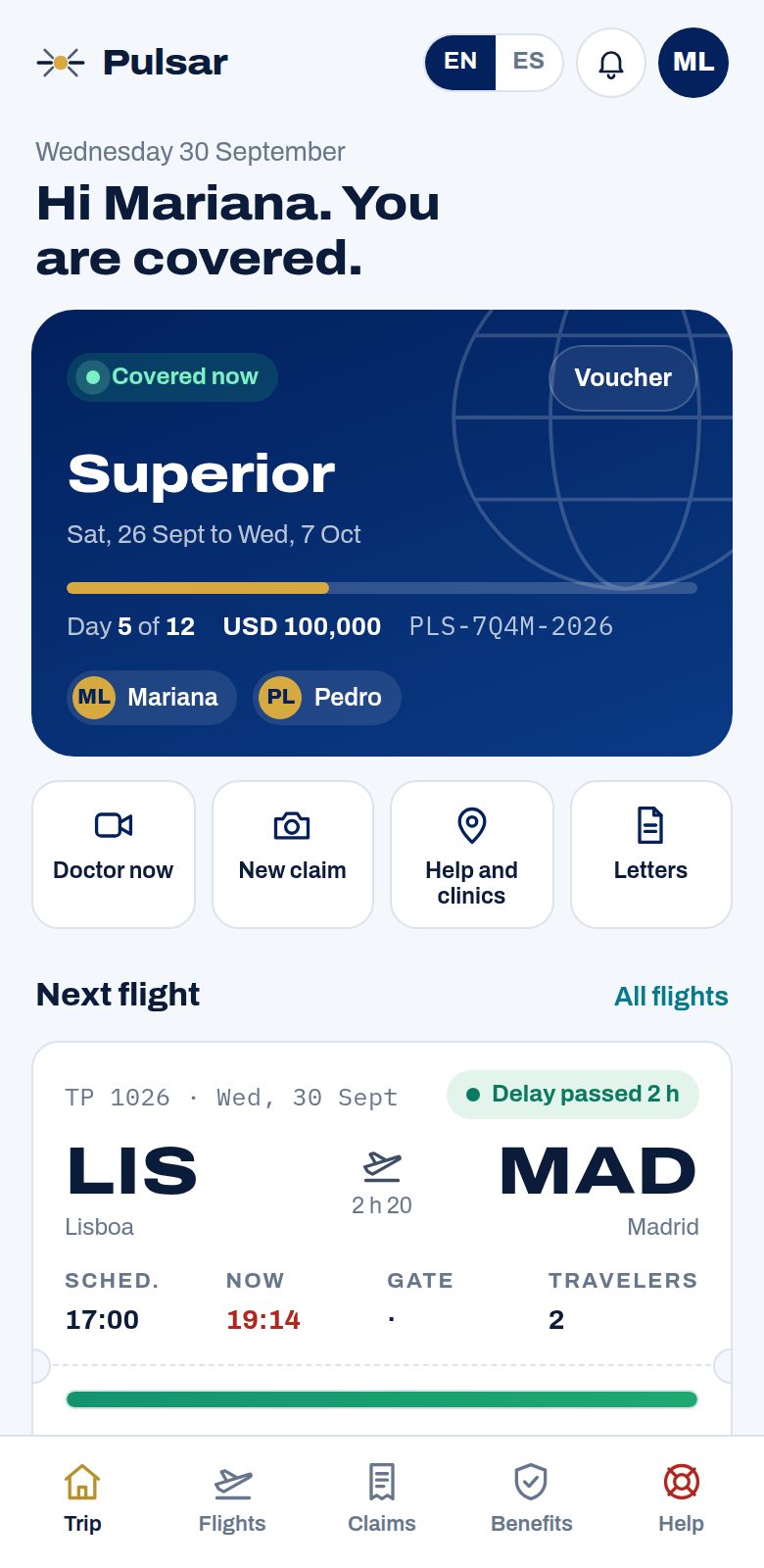
Your whole trip in your pocket. A person on WhatsApp when you would rather talk.
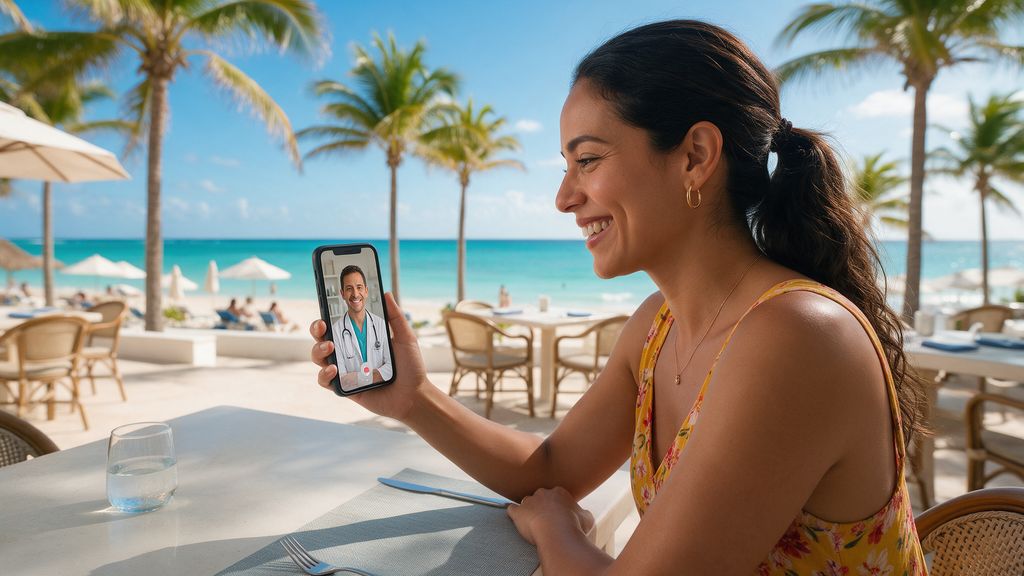
A doctor in one tap. Any hour, free.
Video, WhatsApp, phone or text, unlimited on every plan, and nothing comes off your medical limit. Your voucher, letters and nearby clinics on one screen.
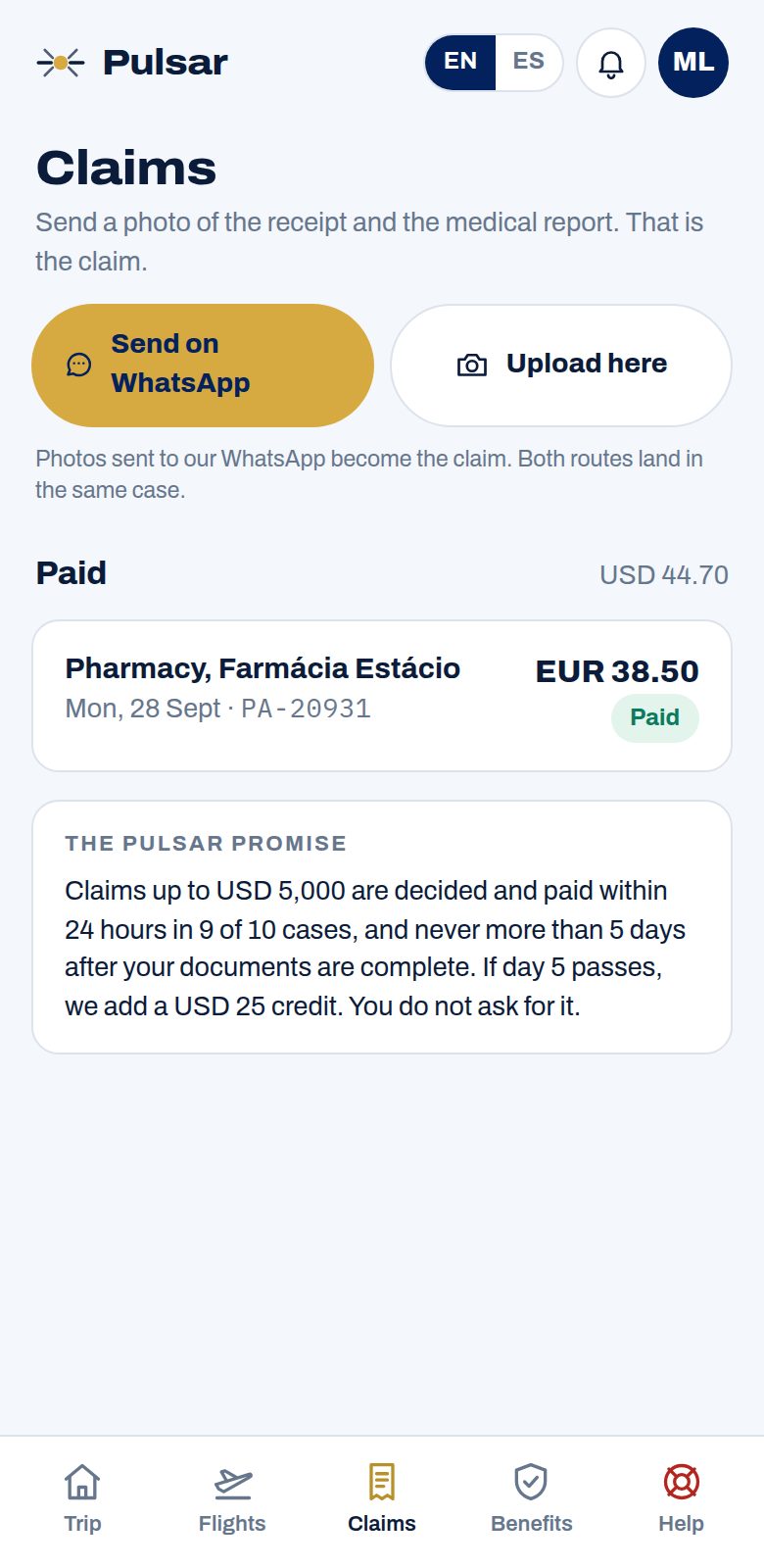
A photo of the receipt is the claim.
On WhatsApp or in the app. A person checks it. 24 hours for most claims, never more than 5 days, paid to a virtual card or by Wise.
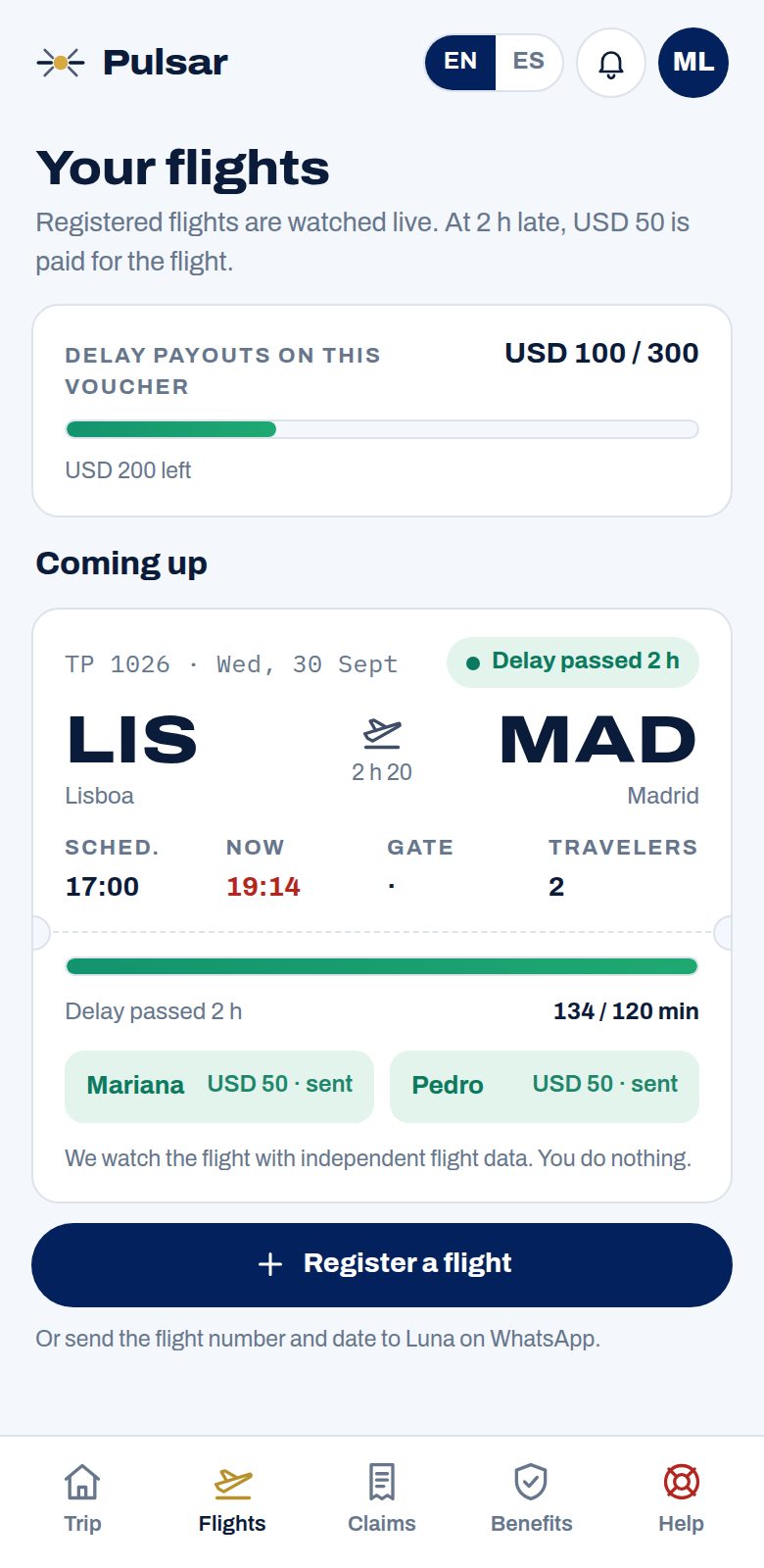
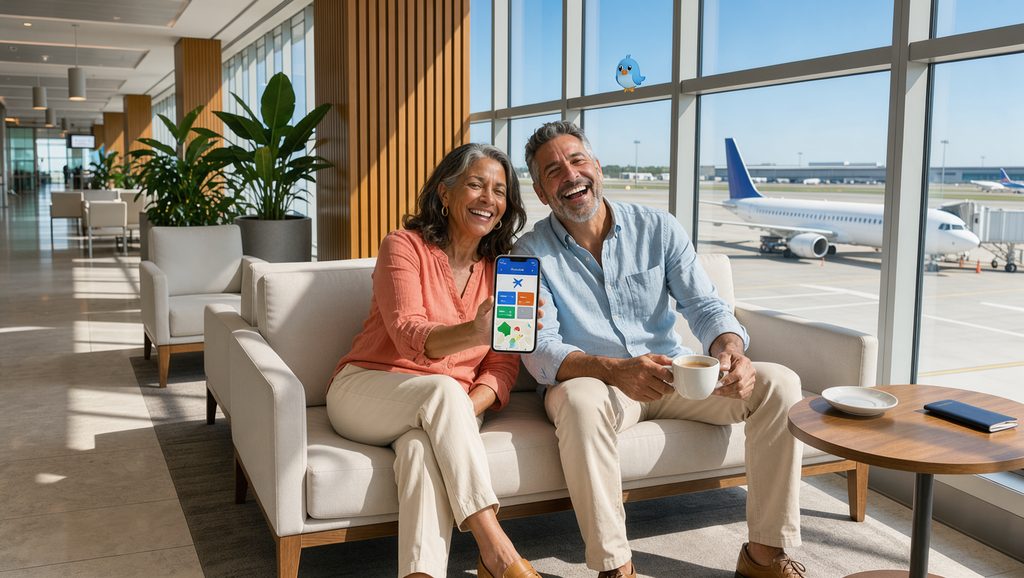
Your flight, watched. Delayed? Lounge pass.
Register your flights and we follow them. At 2 hours or more late, each traveler chooses a VIP lounge pass or a $50 USD gift card, automatically.
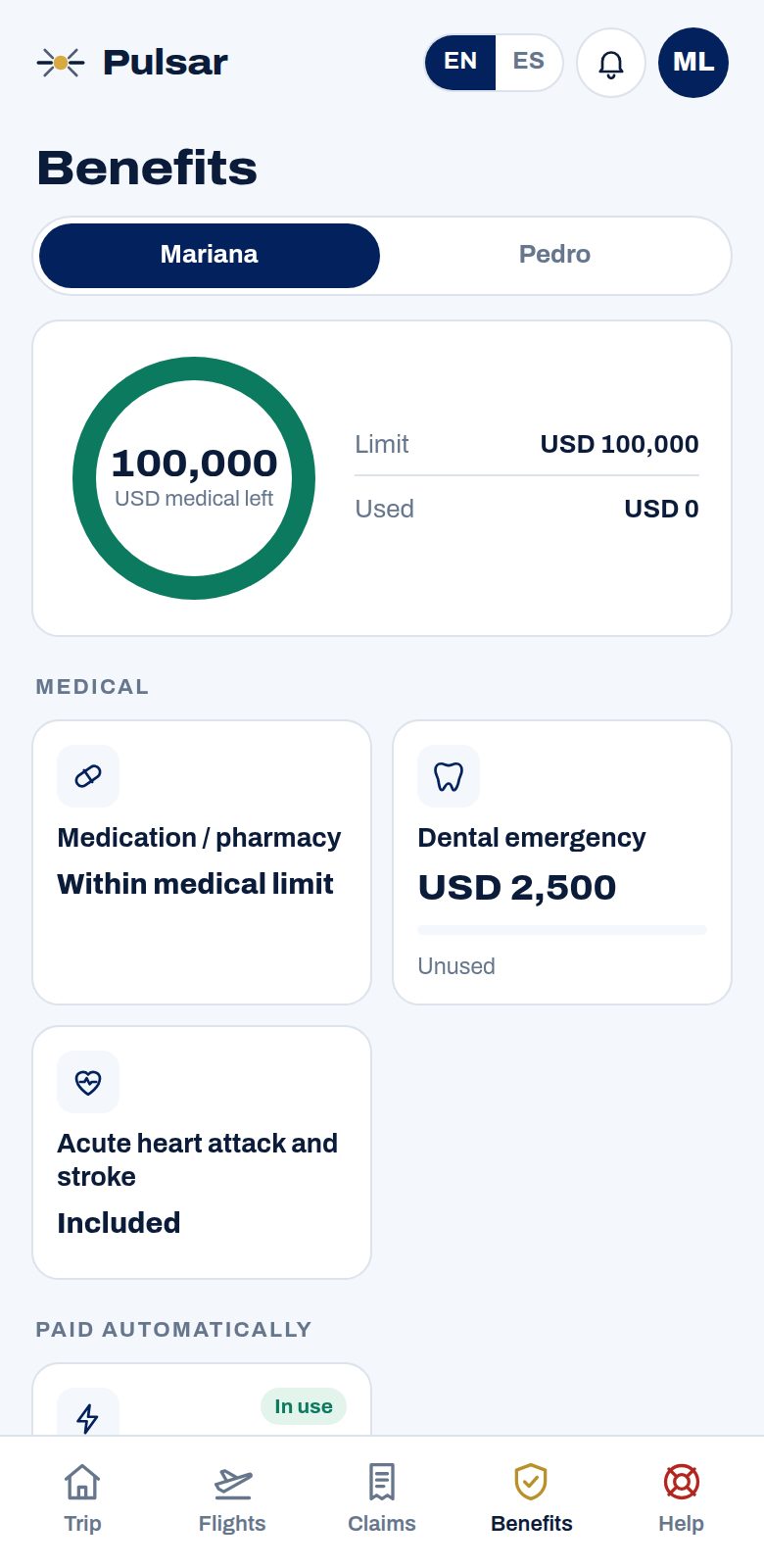
The hospital bills us. Your benefits, per traveler.
Message us before you go in: the clinic gets your Verification of Benefits and bills us, so you pay nothing at the desk. Your wallet shows what is left for each traveler.
Real screens from the Pulsar app (My trip), with sample data. Telemedicine is for non-emergencies. In a hospital, contact us first, or within 24 hours if you cannot.
Why Pulsar
Travel assistance that feels like an app, not paperwork.
The app in your pocket
Voucher, letters, clinics and claims in one place, in Spanish or English.
Doctor in one tap
Video, WhatsApp, phone or text. Unlimited and free.
The photo is the claim
No forms. 24 hours for most claims, never more than 5 days, paid to a virtual card or by Wise.
The hospital bills us
At network clinics you pay nothing at the desk.
Flights watched for you
Lounge pass or $50 USD gift card at 2 h+ late.
A benefits wallet per traveler
See what is left for each traveler, always. Pay in your home currency.
How it works
Covered in two minutes. Looked after the whole trip.
1
Your price in seconds
Destination, dates and ages. No name, email or phone.
2
Pay and get your voucher
Pay in USD or your home currency. Your voucher arrives by email and in the app.
3
Travel with someone on your side
A doctor, a case manager and your documents one tap away.
Doctor by video
A doctor in your pocket.
Talk to a doctor by video, WhatsApp, phone or text, in Spanish or English. Unlimited on every plan.
A person answers: case managers, nurses and doctors
At network clinics, the hospital bills us
Your voucher, letters and nearby clinics in the app
Telemedicine is for non-emergencies; prescriptions follow local law.
Flight delay, with Blink Parametric
Flight delayed? Wait in the lounge.
Register your flight on your voucher at least 24 hours before departure. If it leaves 2 hours or more late, you choose a lounge pass or a $50 USD gift card. No form, no receipts, no claim.
Lounge passRelax in a partner lounge at your airport.
or
$50 USD gift cardSent by email, spend it anywhere.
Your choice, from a 2-hour delay. Eligible flights and conditions per the terms on your voucher.
Coverage highlights
The same benefits on every plan. Only the medical limit changes.
Medical and hospital care
For a sudden illness or accident, up to your limit.
Heart attack and stroke
Covered even with a history.
Transfers and repatriation
When our doctors decide it is needed.
Dental emergencies
Up to $2,500 USD.
Baggage and passport
Plus legal help after a traffic accident.
Families and 65+
Up to age 85. We show everything before you pay.
From price per traveler per day, age up to 40. Every plan includes the same benefits.
Prices show in your own currency at the day's rate, and you pay in it. The price you see is the price you pay, with a full refund within 10 days before you travel.
Contact us during your trip using the channels on your voucher.
Before a planned visit, ask for a Verification of Benefits.
For reimbursement, submit the documents required by your plan terms.
Your voucher and plan documents set the applicable benefits, timelines and conditions.
Reviews
We are new. Our first reviews come from travelers like you.
No invented quotes, no borrowed ratings. After your trip we ask what you thought, good or bad, and publish it with the date and the platform. How reviews work.
Travel guides
Straight answers before you fly, checked by our doctors.
Pulsar is travel medical assistance: a service that arranges and pays for your care abroad, with a 24/7 medical emergency line. Its medical benefits are insured by Redbridge Insurance Company Ltd. (Barbados), and the assistance is operated by MDabroad. It does not replace your health plan at home.
Do I pay anything at the hospital?
Not for covered care at a network hospital or clinic, once you have contacted us. We send you a Verification of Benefits and the clinic bills us. If you cannot contact us first, do it within 24 hours.
How fast are claims paid?
Send photos of the receipts and the medical report to our WhatsApp. There is no form. Once your documents are complete: 24 hours for most claims, never more than 5 days. Send documents within 60 days of your voucher's end.
How does the flight delay benefit work?
Register your flight at least 24 hours before departure. If it leaves 2 hours or more late, you choose a lounge pass or a $50 USD digital gift card per traveler, automatically. Registration and alerts come from our partner Asteroid Assistance. Eligible flights per the terms on your voucher.
Are pre-existing conditions covered?
An acute heart attack or stroke is covered on every plan, whatever your history. Other conditions that began before the trip are not, unless you add the pre-existing extra: $15,000 USD or 20,000 for acute episodes.
What changes after 65?
From 65 your medical limit is 75 percent of the plan's, and the daily price is higher. You can buy Pulsar up to age 85. We show both before you pay.
Can I buy once I have left home?
No. Pulsar has to be bought before your trip starts. If you already hold a voucher and want to stay longer, ask us before it ends: we can issue up to 30 more days, and treatment of anything that began under the first voucher does not continue.
Can I cancel and get my money back?
Yes. Within 10 days of buying, if your trip has not started and you have not used any service, you get everything back. After that, and until 3 business days before your cover starts, you get 80% back, or you move your dates with no change fee. Later than that, or once the trip has started, it cannot be cancelled or moved.
Can I talk to a doctor without going to a clinic?
Yes. Every plan includes a doctor by video, WhatsApp, phone or text, as often as you need, at no charge, and nothing comes off your medical limit. It is for non-emergencies; prescriptions follow local law.
Does Pulsar meet the Schengen visa requirement?
Every Pulsar plan for Europe starts at €30,000 EUR of medical cover, the amount Schengen asks for. Your voucher shows your medical limit.
Can my whole family travel on one voucher?
Yes. Up to 9 travelers fit on one voucher, each with their own medical limit and their own benefits wallet in the app.
Can I see the price in my currency?
Yes. Prices show in your own currency automatically, based on where you are, and you can switch currency with the selector at the top of the page. The price you see is the price you pay.
How long can my trip be?
Up to 180 days per trip. Buy before you leave home.
Who answers when I write?
Nova, our sales assistant, is an AI and answers right away. A person is always one tap away: case managers, nurses and doctors answer on WhatsApp +1 (754) 324-4816; medical emergencies 24/7 on +1 (786) 257-0040.
No email to see a price. Nothing added at checkout. Cancel within 10 days for a full refund before your trip.
Step 1 of 3 · About 60 seconds to finish
Choose your medical limit. Everything else is the same on every plan.
Included in every plan
Whichever limit you choose. Amounts are per traveler.
Medical and hospital care for a sudden illness or accident, up to your limit
Heart attack and stroke covered even with a history
Doctor by video, WhatsApp, phone or text, unlimited and free
Real people: case managers, nurses and doctors
The hospital bills us in the network
Flight delay, with Blink Parametric: register your flight 24 hours ahead; if it leaves 2 hours or more late you choose a lounge pass or a $50 USD gift card per traveler, live now. Registration and alerts come from our partner Asteroid Assistance. Eligible flights per the terms on your voucher.
Medical transfers and repatriation
Dental emergencies up to $2,500 USD
Baggage, lost passport and legal help after a traffic accident